
First 100 · pay once
Your Mac. Your Brightness. Every Monitor.
Mac doesn’t make it easy to control external display brightness. We do. Adjust your monitor brightness right from your Mac, exactly when you need it.
Point your mouse at any screen. Press the MacBook brightness keys. That display dims or brightens — every connected monitor, seamlessly.
Secure checkout powered by Dodo Payments
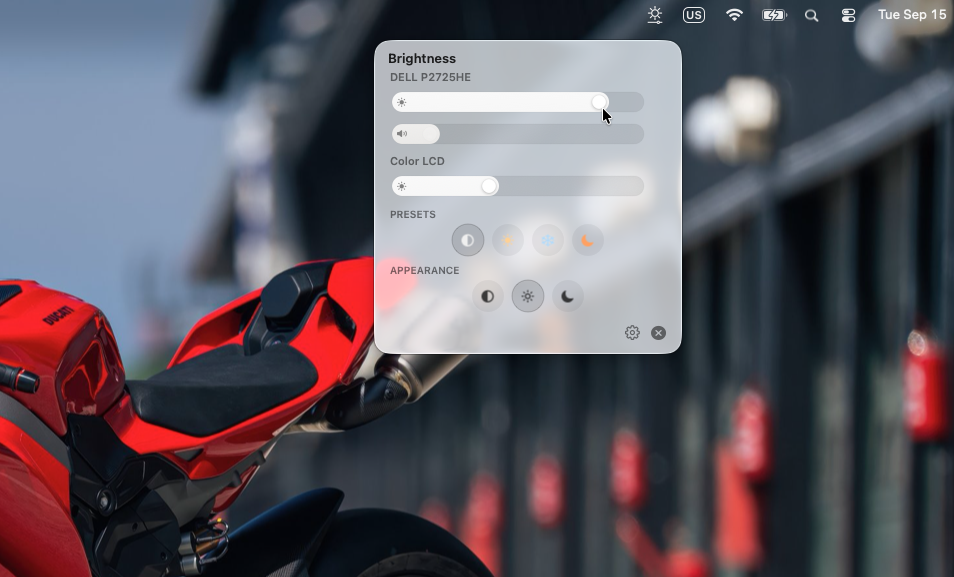
Raise the external display without touching the Mac screen.
01
Point. Press. Brightness follows.
Move your mouse to any display, then use the native MacBook brightness keys. Screen Bright adjusts that screen — built-in or external — without digging through settings. Each monitor still has its own slider when you want finer control.
Raise the external display without touching the Mac screen.
02
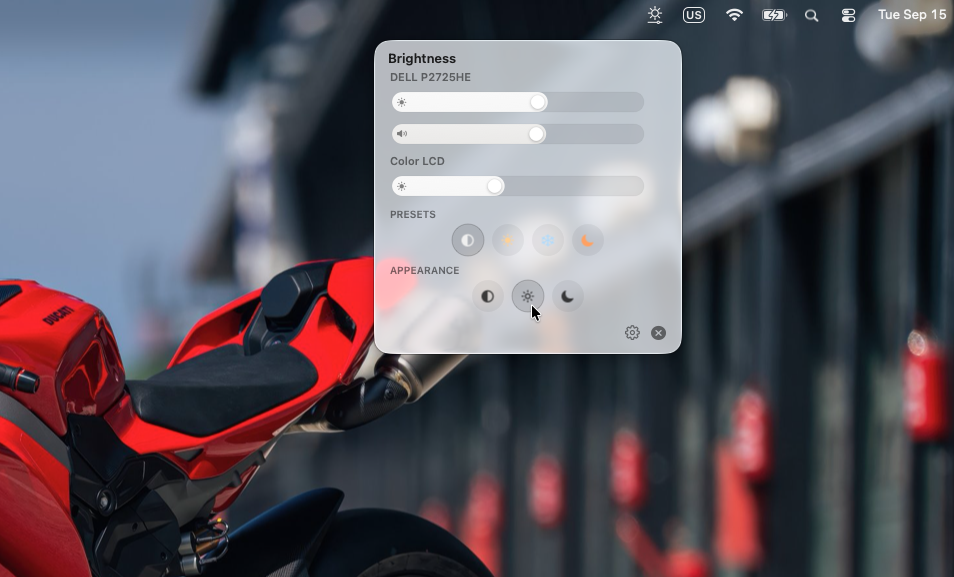
Warm, Cool, Night — both screens at once
One click shifts color temperature on every display. Night is the warmest preset, built to cut blue light and ease eye strain.
Standard. Neutral tone, no extra warmth or cool.
03
Light, System, or Dark
Match the menu bar to the rest of your Mac. System follows macOS. Dark is the app chrome — not a dimmed wallpaper.
Light appearance.
04
Advanced configs and display resets
Per-display DDC or Apple hardware control, keyboard brightness tied to the focused screen, and a one-click reset when a monitor gets stuck. Launch at login lives in General.
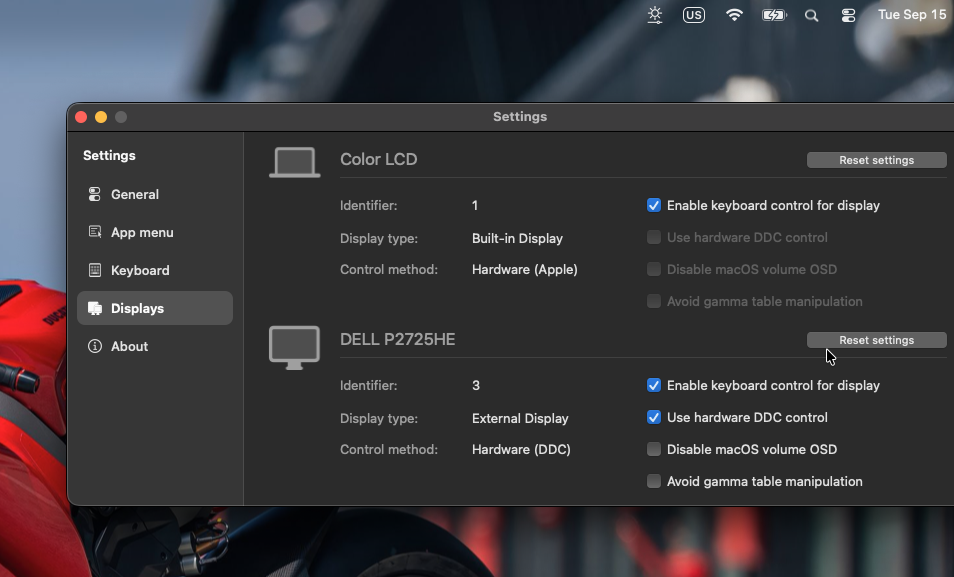
Per-display control, DDC, keyboard shortcuts, one-click reset.
First 100 · pay once
Lifetime access
$9.99pay once
- ✓Lifetime license — pay once, keep forever
- ✓Native Mac brightness keys on every connected monitor
- ✓Point at a screen — that display is the one you adjust
- ✓Standard, Warm, Cool, and Night presets
- ✓Light, System, and Dark app appearance
- ✓DDC, per-display reset, and launch at login
If it does not work on your setup, email support and we will make it right.
Secure checkout powered by Dodo Payments
Questions
Does this work with my external monitor?+
Most HDMI/DisplayPort monitors that speak DDC/CI can change brightness from Screen Bright. Built-in Mac displays use Apple’s own hardware path. If a display does not respond, Settings lets you switch control methods or reset that screen.
Is this a subscription?+
No. $9.99 once, lifetime access. This founding price is for the first 100 licenses only.
How do I get the app after paying?+
Dodo Payments emails your license key and we send you back to a success page with the key. Paste it in Screen Bright to unlock.
Can I use the MacBook brightness keys on external monitors?+
Yes. Point your mouse at the display you want to change, then use the native brightness keys on your MacBook. Screen Bright routes those keys to that screen so every connected monitor adjusts seamlessly. You can also fine-tune each display in Settings → Displays.
What if it does not work on my setup?+
Email support@screenbright.app. If Screen Bright cannot drive your display, we will help you sort it out.